I need to use macOS and want to know if there is a “best” laptop to hackintosh.
Thanks
[link] [comments]

I need to use macOS and want to know if there is a “best” laptop to hackintosh.
Thanks
Hi, I have just installed Mojave and it went seamelessly. Whenever I installed Clover bootloader it will get halfway loading and then restart. It will do this over and over too fast to capture an error message. Whenever I reinstalled bootloader with iGPU 630 ticked this time using multibeast it freezes at an 0x3 error.
Help?
iGpu 630 intel i5 7400 12gb ram oem motherboard
I apologize in advance if this was a repeated question.
For those that have done a hackintosh on a Lenovo Thinkpad T450, how is the stability of the machine?
Are all of the key features working? (The general software Apple offers such as Airdrop and the laptop ports)
Can you easily connect your laptop up to any printer and set them up easily?
Is it stable enough for it to be a daily driver?
Is the battery life good with the hackintosh?
I am willing to get my hands dirty and mess around with the system to stabilize everything that I need.
I would like to mod a Lenovo Thinkpad T450s that will be arriving in a few days after I perform a screen upgrade.
Thanks for the help!
Hi, I have been recently installed High Sierra 10.3.4 on my PC and works perfectly. But it's safe upgrading to Mojave from App Store? I've read that nVidia Drivers are not working well. Or we have to do something?
Or it's safe upgrading a OS from App Store? I have 10.3.4 and it's available the version 10.3.6.??
Thanks a lot.
Hi All,
Happy to report that I've installed Sierra on a Sony Vaio PCG 81112m laptop!
Would like to post this incase it helps others, and also if others can help me.
My Outstanding issues I have are
Any help would be greatly appreciated, I'll update this as I learn to fix these issues :)
Hi,
My hackintosh is working all fine and dandy - with 1 monitor. However when i plug in a second monitor I have a weird issue. I can boot and while im on the actual MacOS user login screen everything works fine across two monitors. However as soon as I actually log in and go to desktop the displays freeze within a few seconds. It seems to tie in with when the Nvidia progam loads. I've tried a few different config setups but nothing seems to be working.
Any ideas on what it could be and how to solve it?
I'm running the following on High Sierra:
EVGA GeForce GTX 1080 Ti SC2
i7 8700
ASUS ROG Strix Z390-I Gaming LGA1151
Two identical displayport monitors (1440p at 165hz)
config.plist
I have been lookin around and I can't really find anything. I want to be able to have at the minimum thunderbolt 2 in my mackintosh system. Is there a specific PCIE card on the market that would work with High Sierra? I have a 9700K with a gtx 1080.
Hey all,
I've tried searching and either what I want to know is t addressed anywhere, or I don't know the terms, so sorry if this is answered somewhere.
I got a "broken" 2015 MacBook pro from a co-worker. I had zero Mac experience but thought I'd take a crack at fixing it. I was able to narrow it down to the HDD (boots up to question mark folder). It also seems to have a firmware password as I get the password prompt for it when I try to boot into recovery, boot options, or anything else.
I got an adapter to connect the SSD to my desktop and tried loading a recovery image on the SSD with transmac, and tried putting a Windows installation on it, both resulting in the question mark folder.
My question - is there any way to get it to boot up anything without the firmware password? I'd take Mac, windows, or Linux.
Hey guys,
I had a GTX 980ti until apple dropped support in Mojave, my friend has given me an old R9 390 to use instead as AMD has better luck.
I have plugged it in and injected AMD, but acceleration doesn't seem to be on and its reporting as
AMD Radeon R9 290/390 14 MB in the system info, clearly the 14mb isnt correct
I am using lilu and whatevergreen in my kexts folder, my mobo is a X99 gigabyte so no integrated graphics
Are there any further steps required? As im a but stuck, cheers!
Hi there, I am going to build my first PC/Hackintosh because I cant edit 4K footage on my late 2013 macbook pro. And I also need more power for my 3d rendering. Could you help me choose a good and easy build ? I mainly work with DavinciResolve / Blender / Logic / Premiere / Aftereffect. I'd like to have a dual boot system with Windows to get all of the 3d software that aren't compatible with Mac OS, I also want Windows OS to play little indie games on steam. But I wanted to keep MacOS for their interface, Logic, etc... You know all of these stuffs that make apple "Apple", if not you wouldnt be here :-)
Anyway, does it mean I'll have to buy two SSD to have Mac OS and Windows?
I think I'll buy an I7-8700K and for the gpu I dont know if I should take vega64, gtx1070, or RX570 ?
Hello, I have an older Thinkpad R61, and wanting to install osx on it, if possible. The laptop is mostly stock with a few upgrades on it. Original specs are here https://support.lenovo.com/us/en/solutions/pd013965
Currently im running with 4gb of PC2-6400 ram, 120gb SSD, and Core2Duo T8300 at 2.4ghz.
Am I able to run osx? At least snow leopard 10.6?
Any advice is appreciated!
I am not getting any acceleration from my Nvidia GPU after installing the web drivers and following multiple guides. I have ApfsDriverLoader, AptioMemoryFix, VBoxHfs, and EmuVariableUefi installed through Clover and am running AppleALC.kext, FakeSMC.kext, IntelMausiEthernet.kext Lilu.kext, NullCPUPowerManagement.kext, RealtekRTL8111.kext, USBInjectAll.kext, and WhateverGreen.kext.
Specs:
Mobo - MSI Z97 PC Mate
CPU - Core i5 4430
GPU - GTX 750 ti
This hackintosh works perfectly fine except for acceleration from my GPU.
Here is my Config:
<?xml version="1.0" encoding="UTF-8"?> <!DOCTYPE plist PUBLIC "-//Apple//DTD PLIST 1.0//EN" "http://www.apple.com/DTDs/PropertyList-1.0.dtd"> <plist version="1.0"> <dict> <key>ACPI</key> <dict> <key>DSDT</key> <dict> <key>Fixes</key> <dict> <key>AddMCHC</key> <true/> <key>FixHPET</key> <true/> <key>FixIPIC</key> <true/> <key>FixRTC</key> <true/> <key>FixShutdown</key> <true/> <key>FixTMR</key> <true/> </dict> <key>Patches</key> <array> <dict> <key>Comment</key> <string>change EHC1 to EH01</string> <key>Disabled</key> <false/> <key>Find</key> <data> RUhDMQ== </data> <key>Replace</key> <data> RUgwMQ== </data> </dict> <dict> <key>Comment</key> <string>change EHC2 to EH02</string> <key>Disabled</key> <false/> <key>Find</key> <data> RUhDMg== </data> <key>Replace</key> <data> RUgwMg== </data> </dict> <dict> <key>Comment</key> <string>Rename SAT0 to SATA</string> <key>Disabled</key> <false/> <key>Find</key> <data> U0FUMA== </data> <key>Replace</key> <data> U0FUQQ== </data> </dict> </array> </dict> <key>FixHeaders</key> <true/> </dict> <key>Boot</key> <dict> <key>Arguments</key> <string>dart=0</string> </dict> <key>Devices</key> <dict> <key>Audio</key> <dict> <key>Inject</key> <integer>1</integer> </dict> </dict> <key>DropTables</key> <array> <dict> <key>Signature</key> <string>DMAR</string> </dict> <dict> <key>Signature</key> <string>MATS</string> </dict> </array> <key>GUI</key> <dict> <key>Theme</key> <string>embedded</string> </dict> <key>Graphics</key> <dict> <key>Inject</key> <dict> <key>ATI</key> <false/> <key>Intel</key> <false/> <key>NVidia</key> <false/> </dict> <key>NvidiaSingle</key> <false/> </dict> <key>KernelAndKextPatches</key> <dict> <key>AppleIntelCPUPM</key> <true/> <key>AppleRTC</key> <true/> <key>KernelPm</key> <true/> </dict> <key>KextsToPatch</key> <array> <dict> <key>Comment</key> <string>External icons patch</string> <key>Disabled</key> <false/> <key>Find</key> <data> RXh0ZXJuYWw= </data> <key>Name</key> <string>AppleAHCIPort</string> <key>Replace</key> <data> SW50ZXJuYWw= </data> </dict> <dict> <key>Comment</key> <string>Change 15 port limit to 24 in XHCI kext 10.13</string> <key>Disabled</key> <false/> <key>Find</key> <data> g32MEA== </data> <key>MatchOS</key> <string>10.13.x</string> <key>Name</key> <string>AppleUSBXHCIPCI</string> <key>Replace</key> <data> g32MGw== </data> </dict> </array> <key>PluginType</key> <true/> <key>RtVariables</key> <dict> <key>BooterConfig</key> <string>0x28</string> <key>CsrActiveConfig</key> <string>0x67</string> <key>MLB</key> <string>D254071024NF8YLAD</string> <key>ROM</key> <string>UseMacAddr0</string> </dict> <key>SMBIOS</key> <dict> <key>BiosReleaseDate</key> <string>09/17/2018</string> <key>BiosVendor</key> <string>Apple Inc.</string> <key>BiosVersion</key> <string>IM142.88Z.0131.B00.1809171347</string> <key>Board-ID</key> <string>Mac-27ADBB7B4CEE8E61</string> <key>BoardManufacturer</key> <string>Apple Inc.</string> <key>BoardSerialNumber</key> <string>D254071024NF8YLAD</string> <key>BoardType</key> <integer>10</integer> <key>BoardVersion</key> <string>1.0</string> <key>ChassisAssetTag</key> <string>iMac-Aluminum</string> <key>ChassisManufacturer</key> <string>Apple Inc.</string> <key>ChassisType</key> <string>0x0D</string> <key>EfiVersion</key> <string>133.0.0.0.0</string> <key>Family</key> <string>iMac</string> <key>FirmwareFeatures</key> <string>0xE00FE137</string> <key>FirmwareFeaturesMask</key> <string>0xFF1FFF3F</string> <key>LocationInChassis</key> <string>Part Component</string> <key>Manufacturer</key> <string>Apple Inc.</string> <key>Mobile</key> <false/> <key>PlatformFeature</key> <string>0x01</string> <key>ProductName</key> <string>iMac14,2</string> <key>SerialNumber</key> <string>D25M8FZ1F8JC</string> <key>SmUUID</key> <string>6947D68D-C927-4AF6-8FC3-264FB8BA97D8</string> <key>Version</key> <string>1.0</string> </dict> <key>SystemParameters</key> <dict> <key>InjectKexts</key> <string>Yes</string> <key>NvidiaWeb</key> <true/> </dict> </dict> </plist>
Hi, I've been using macOS on unsupported hardware for years and am currently running a Z170 and 6700k. Obviously, there's been a ton of new CPU developments since then, and I'm looking to get in on these new high core count consumer CPUs. I'm not really looking to shell out for a 9900k, and have seen people have had decent success installing macOS on Ryzen processors. Once I get the install running (even if it takes a bit longer) will there be any noticeable differences between going with a 2700x instead of a 9900k? LIke basically is it possible to have a 99% smoothly running ryzen macOS install as it is with an intel cpu?
I'm doing a build for a friend that is based on another successful build I saw on the internet.
CPU : Intel - Core i9-9900K 3.6 GHz 8-Core Processor
Motherboard : Gigabyte - Z390 AORUS PRO ATX LGA1151 Motherboard
I've had no troubles up until installing the OS. The installation gets close to the end, then the system freezes, mouse not movable at all. I'm booting from a usb setup with clover.
I have a Broadcom BCM94360CD which will randomly switch from AC (5ghz) to N (2.4ghz) and slow me down, sometimes even cut out the internet totally. No idea why this happens or what triggers it. The only way to "fix" it is to turn off and on the wifi, and everything goes back to normal until it switches again.
Not sure when this started, but I've been noticing it more and more the last few weeks.
Anyone have any ideas? I've done research and found nothing.
High Sierra 10.13.6, Gigabyte GA-Z97N-WIFI, NVIDIA GeForce GTX 750 Ti, Clover
Just a quick question here but basically all i want to do is edit the serial number string that is displayed on the "About This Mac" screen. It must be stored somewhere, i've tried another tutorial but that only worked for old versions of Mac OS X.
P.S. I'm not looking to change the actual serial number, just the string that's displayed on the "ATM" screen. (If it's even do-able.)
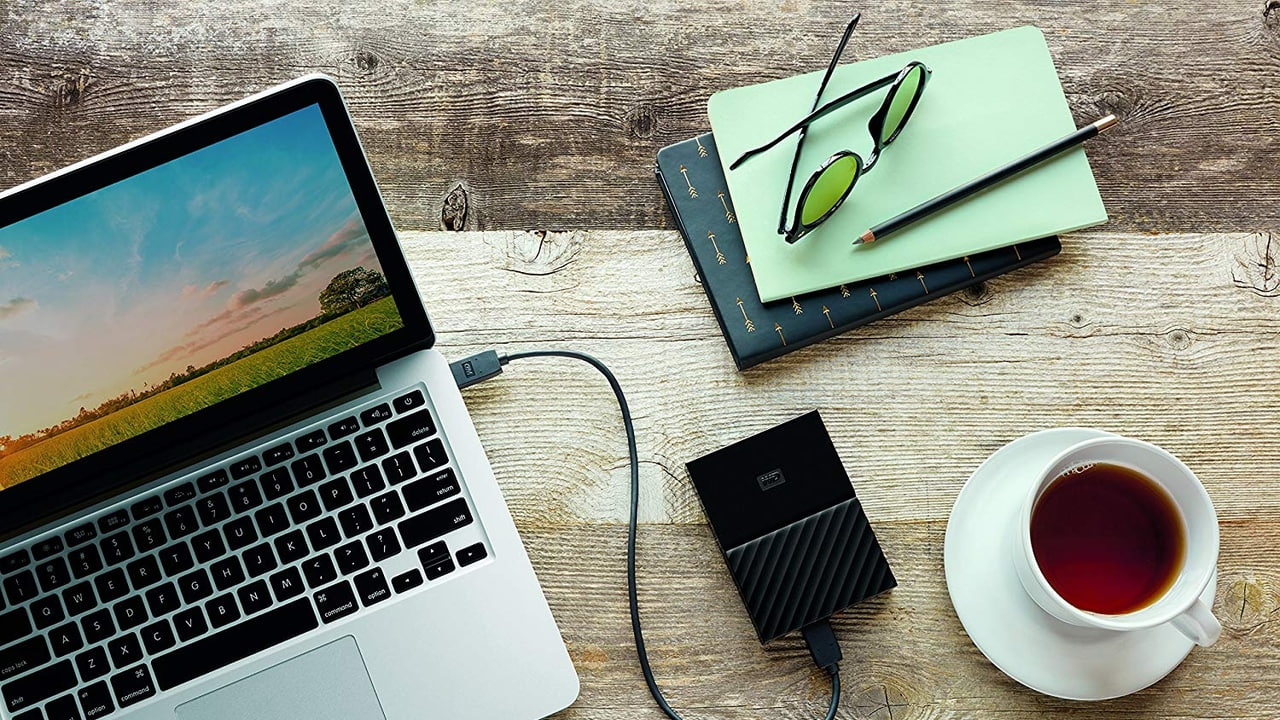

 Storage from SanDisk, WD, Kingston, Toshia, and others are on sale today in celebration of World Backup Day. Everything from USB Flash Drives to Solid State Drives (SSDs) to Network Attached Storage (NAS) units are discounted.

I can’t find a guide that makes sense and is easy to follow. If someone could point me in the right direction or write a guide, I would be grateful. Thanks.
Hello everyone, I'm currently using 14.2 (it comes by default) but I would like to know what would be the right one for my laptop !! can you. give a helping hand?
CPU: Intel core i5 7200U / 2.5 ghz Kaby Lake RAM: 8gb MotherBoard: HP832A (U3E1) Graphics: IntelHD 620 Storage: SATA ST2000M007 2tb Audio: Realtek alc 282
I recently setup a macOS Mojave VM in Unraid using SpaceInvaderOne's tutorial, and everything works surprisingly well, with the exception of internet performance. I get downloads of somewhere between 200 and 300Mbps, when I should be getting 800+. I know this is a limitation of vmxnet3, which is fine, but I also know that one of my NICs are supported with a third-party kext (IntelMausi). The NIC works fine in my primary hackintosh setup (which is installed directly to one of my SSDs).
I have the network card passing through to the VM, and the kext in Clover's kext folder. However, vmxnet3 continues to be the only devices listed in System Information, when I assume both vmxnet3 and the Intel I211 NIC should be visible. Is there something that I need to add to my XML configuration to get passthrough working? And is ethernet passthrough even possible in a macOS VM?
Hi, I own vanilla hackintosh with Asus Z370G WiFi board and replaced intel wifi with Broadcom BCM94360CS2 on adapter.
Until 10.14.4 (since 10.13.0) sleep was working just fine with WiFi turned on. Since I have updated, I can’t put computer to sleep no more until I turn WiFi off.
Does anybody else has same issue? I don’t use any kext for this broadcom as it works oob.
I suspect something has changed in the drivers. BTW I have power nap and wake one network turned off
As the title states, security update for Sierra 10.12.6 (16G1918) will break Nvidia web driver and acceleration. At the moment, there is not an updated driver that is compatible with this update. And, to be honest, I don't expect there to be one seeing as Apple is dropping support like flies for Nvidia GPUs. So, if you rely on Nvidia web drivers, I'd wait a bit for the next release if it even comes or get ready to run Time Machine.
hello to everyone! My hackintosh works perfectly ... but I am constantly learning, I wanted to know if there would be possibility to add the settings of the trackpad (real) to the mouse of a laptop with haackintosh! I found a kext, but every bit my hackintosh stays frozen! thanks to everyone and especially to this beautiful community!
... does that mean that all the older iMacs with a Nvidia GPU from back in 2014 can't upgrade to the current macOS?
Hello everyone,
this is my first post and first attempt at hackintoshing a desktop (Dell Optiplex 790 motherboard with i7-2600); everything works perfectly except for my DGPU: AMD Sapphire Radeon 7850, 2048MB VRAM. I tried looking up configurations, but none of them seem to work for me. Right now, I am using the latest Lilu+Whatevergreen kexts and Inject ATI with Futomaki in Clover, but still I only get 8MB of VRAM instead of the full 2GB - resulting in artifacts that make Mojave almost unusable.
I am attaching my config.plist in the hope that one of you can help me out of this mess!
https://ufile.io/synyx
Thank you very much!!
hi guys, i ecountered problem when install voodooI2C from github to laptop (ASUS Zenbook UX333FA) the touchpad still remaining not detected any Idea how to fix this?
I'm shopping for a new laptop as my old MacBook pro from 2012 is starting to die. T490 looks quite good on spec. Did anybody try hackintoshing it? Succeed? It looks like the default wlan is an Intel ac9560. Is it easy to substitute for a, say, dw1830?
I have a Dell Latitude e7240. Following this guide (Polish can be translated with Google Chrome auto-translate), I was able to install Mojave 10.14.3. It works great. The only problem is Wifi/BT. My wifi module is
Dell Wireless 1601 802.11 a/g/n Adapter
PCI\VEN_168C&DEV_0034&SUBSYS_020D1028&REV_01
This page told me that this module is unsupported.
Vendor Model Format Ven-Dev Chip Rate Si HS Mj OOB Kext (driver)
Dell DW1601) ½Min PCIe 168c-0034 AR94621 A/B/G/N/AD Y ? * N (=AR5B22)
However, they also told that there is a method to turn this module on.
/!\ Mojave 10.14 dropped support for Atheros cards. If you have an Atheros model supported in previous macOS versions, the workaround is to install the Atheros40 kext from an earlier release like High Sierra 10.13.6, i.e. copy to /L/E + repair permissions + rebuild cache. /!\
I have no idea how to make this possible. Could you help me please to guide me through this process? Thanks in advance
Hi guys,
What is the proper way to update CLOVER on my EFI partition?
I just tried to install fresh CLOVER and then put all files from my previous EFI and my boot process then failed.
I guess I made something wrong. What directories should I update to update only CLOVER to the next version?
P.S: The main reason I need to do this is to upgrade to 10.14.4 from 10.14.3. It freezes on Apple logo progress bar during the update. I have read that updating to the new CLOVER can help with such issues.
Thanks
I am having troubles getting iMessage to work despite trying every guide I can find, including but not limited to multiple YouTube videos, "An iDiot's Guide To iMessage," "Getting iMessage working on El Capitan and Sierra," and even resorting to searching random iMessage help request threads on this sub to try the most common suggestions. I can provide any information needed but I really need to get iMessage functioning correctly as it is the sole purpose of the hackintosh on this machine. Any help or suggestions are very much appreciated, thanks!
i was wondering if there was a discord server because it would help me a lot since i want to make a Hackintosh soon and it is my main way to communicate!
Unibeast Mojave 10.14.3/Clover 4884
Lenovo Thinkpad T480 i7-8650U 1.9Ghz DW1830 Samsung SSD 970 EVO Plus NVME m.2 1TB 32 GB RAM
I have found two threads that people have I have been using this for my EFI, replacing the EFI folder in the hidden EFI partition of Install Mojave
had followed up on this on tonymacx86 with the same issue of freezing on the last 2 minutes of install. However it was for another build and their recommendation was to delete AptioMemoryFix for osxAptioDrvFix or osxAptioDrvFix2 the former will not load clover the latter has the same 2 minute freeze issue
on another thread on r/hackintosh someone said aptioFix is superior and that it might be a emuvariable or nvram issue. On tonymac the only emuvariable I can find is for a clover build for 10.8 which now I get a reboot when I try to format the NVME drive (to clean/clear up any mess the initial install attempt may have left behind)
please if you have a recommendation to try to add a file, provide links
Hi everyone, is it possible to get a mac os installed on a thinkpad x270?
I'm using ApplePS2SmartTouchpad on Mojave with my laptop. It can clearly detect gestures, but it handles them oddly.
Three fingers **down** shows MC, and four fingers right shows/hides the dock. Those are the only actions that trigger any system response. No matter what I change them to in settings, it always has the same actions with these gestures. The rest of the gestures (up,down,left,right x 3,4 fingers) all insert random characters as if I were typing them.
They are the same characters with every gesture, every time, so it is clearly detecting my multi touch.
Any ideas? Maybe a different kext? I've tried VoodooPS2 but SmartTouchpad gives me better functionality (this).
Thanks in advance!
EDIT: The first page of trackpad settings DOES work, enabling/disabling tap to click, etc and changing tracking speed.
 |
here is the issue Im facing I cant seem to get audio to work. I used the vanilla guide to install hackintosh and when I first installed it my ethernet wasnt working but my audio was. Originally I was using AtherosE2200Ethernet.kext so then I tried to switch out IntelMausiEthernet.kext ethernet still didn't work. So then I rembered that my ethernet and audio worked on last hackitosh system. Before I found out about the vanilla guide I used Roberto Jorge guide on youtube. (before anyone says anything I know, His guide sucks and his EFI is crap.) I had same mobo and cpu as him at the time so All I did was copy his efi folder. So what I did with my current set up was I copied over the two ethernet kexts he uses and my ethernet started work but my audio stopped. So I have no Idea what to do. Also with audio asus rog strix z370 g boards use an asus exclusive audio chip. I uploaded a picture a. Currently (the one that isnt working) im using AppleALC.kext and in CC I have layout 1 set since that is what is recommended. Also on a separate not my bluetooth doesn't work but wifi does. I have the Dell Wireless DW1560 802.11 ac/b/g/n Broadcom BCM My EFI File: https://drive.google.com/file/d/1iAIQQnUO-11Bdf7wQu1z5vOxF17YKtVF/view?usp=sharing https://i.redd.it/km26j8603dp21.png Processing img pb3g5txz1dp21... Processing img lfp1fshz1dp21... PC List: CPU: Intel - Core i9-9900K 3.6 GHz 8-Core Processor ($529.89 @ B&H) CPU Cooler: be quiet! - Dark Rock Pro 4 50.5 CFM CPU Cooler ($84.99 @ SuperBiiz) Motherboard: Asus - ROG STRIX Z370-G GAMING (WI-FI AC) Micro ATX LGA1151 Motherboard Memory: Corsair - Vengeance LPX 16 GB (2 x 8 GB) DDR4-3000 Memory ($112.99 @ Newegg) Memory: Corsair - Vengeance LPX 16 GB (2 x 8 GB) DDR4-3000 Memory ($112.99 @ Newegg) Storage: Western Digital - Blue 1 TB 2.5" Solid State Drive ($119.89 @ OutletPC) Video Card: Asus - Radeon RX VEGA 64 8 GB ROG STRIX Video Card ($805.99 @ B&H) Case: Corsair - Carbide 400Q ATX Mid Tower Case Power Supply: EVGA - SuperNOVA G3 750 W 80+ Gold Certified Fully-Modular ATX Power Supply ($113.30 @ OutletPC) Wired Network Adapter: StarTech - ST10000SPEX PCI-Express x4 10 Gbit/s Network Adapter ($225.17 @ Amazon) airdrop: Dell Wireless DW1560 802.11 ac/b/g/n Broadcom BCM [link] [comments] |
I need help from someone who can give me a little more insight on the issues being created by my EFI folder. More specifically my kexts which I believe to be the culprit of my slow boot timing (1 - 1.5 minutes).
My specs:
The kexts that I currently have installed are as follows:
They are all installed in /EFI/CLOVER/kexts/Other.
When I boot past Clover, I get the Apple logo and progress bar. At about 2/3 of the way, boot speed drastically slows down and the progress bar progresses only millimeters within minutes. Then, after about another minute to minute and a half, the screen sputters to black then back to the progress bar which just zips along to 100% and login.
Any ideas or help about the possibilities of what could be going on would be appreciated.
![[Success] Gigabyte B360m D3h - Intel core i3-6100K - AMD RX 560 - Vanilla install - dual GPU working](https://b.thumbs.redditmedia.com/V1qrXGdKOZnYK766jdJZfMsi2ZrxjwTO3FjG35YR4nU.jpg "[Success] Gigabyte B360m D3h - Intel core i3-6100K - AMD RX 560 - Vanilla install - dual GPU working")
![[link]](https://i.redd.it/b1be7un2uep21.jpg)
![[link]](https://i.redd.it/9hsoq6r1nep21.png)
![[link]](https://i.redd.it/uopxrsf91ep21.jpg)
