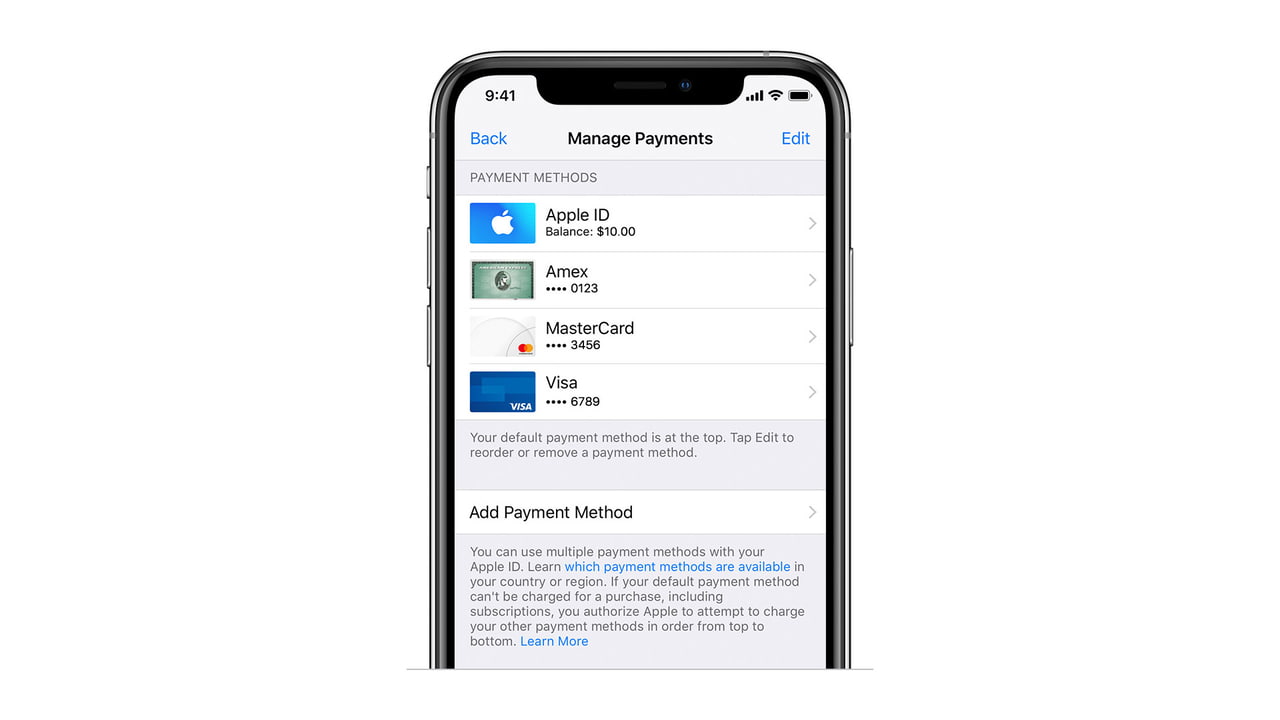

 You can now use Apple Pay for iTunes, App Store, Apple Music, Apple Books, and iCloud purchases in select countries, according to an updated Apple support document spotted by MacRumors.
To link a credit or debit card set up in Wallet with your Apple ID, navigate to Settings > iTunes & App Store. Select your Apple ID then tap View Apple ID > Manage Payments > Add Payment Method. You'll see your cards listed under a "Found in Wallet" section.
Currently, you can use Apple Pay as a payment method in the U.S., Canada, Russia, Ukraine, Australia, Hong Kong, Taiwan, Singapore, and the UAE.

Share Article:
Facebook, Twitter, LinkedIn, Google Plus, Email, Reddit, Digg, Delicious, StumbleUpon
Follow iClarified:
Facebook, Twitter, LinkedIn, Google Plus, Newsletter, App Store, YouTube

Post a Comment