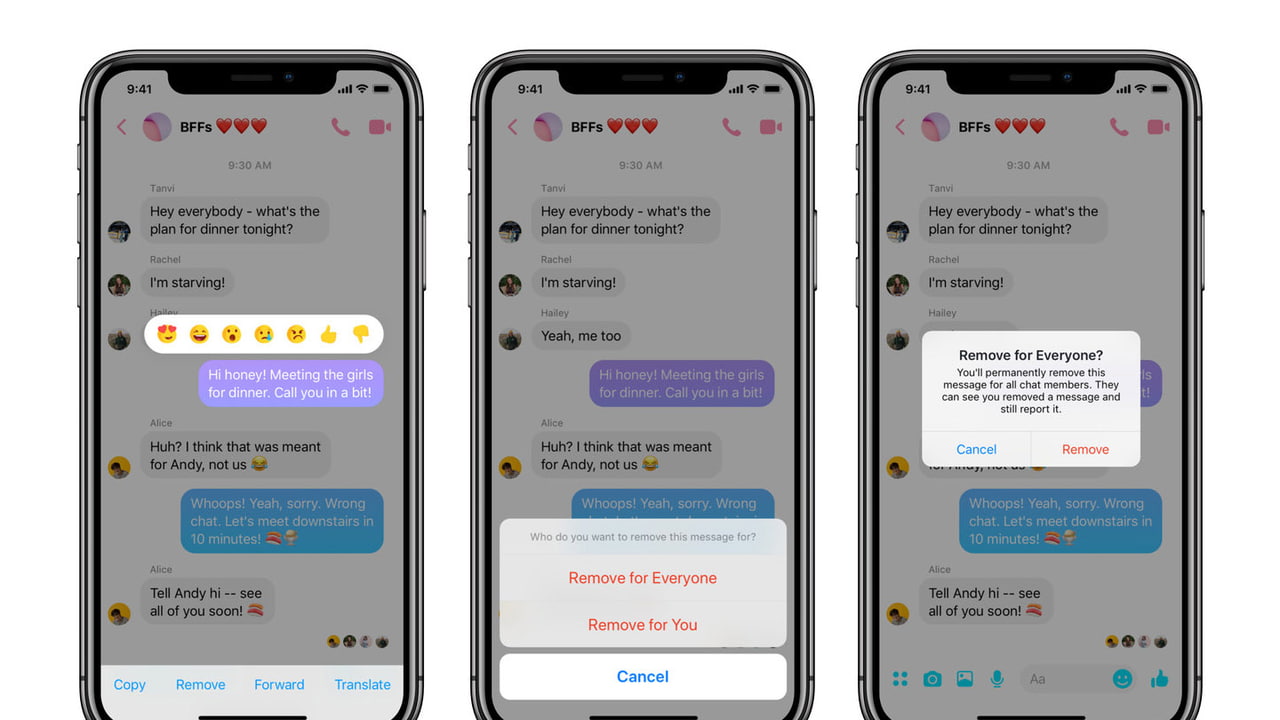

 Facebook Messenger has been updated with a feature that lets you delete messages after you've sent them.
You have ten minutes to delete a message after sending it out. Tap the message, then tap Remove at the bottom of the screen. You'll be presented with two options - Remove for You or Remove for Everyone.
Once a message has been deleted, it will be replaced with text indicating that the message has been removed.

Share Article:
Facebook, Twitter, LinkedIn, Google Plus, Email, Reddit, Digg, Delicious, StumbleUpon
Follow iClarified:
Facebook, Twitter, LinkedIn, Google Plus, Newsletter, App Store, YouTube

Post a Comment