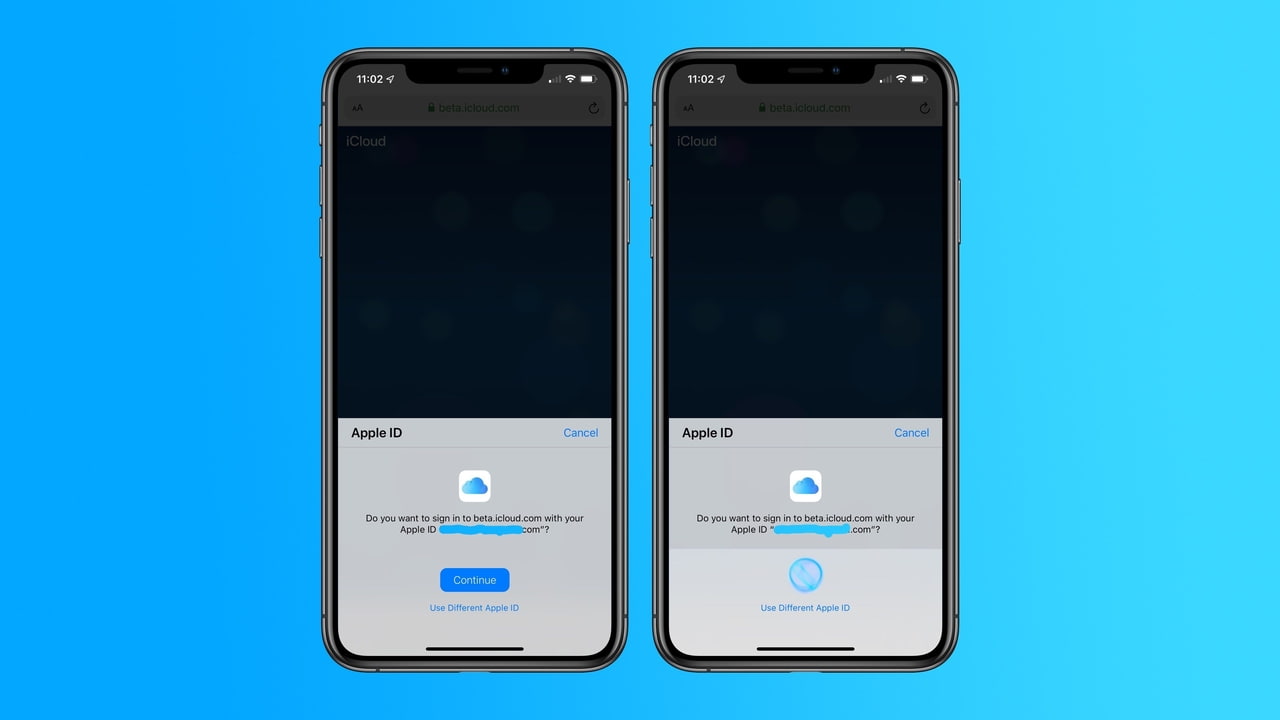

 Apple is testing the ability to sign in to iCloud.com using Face ID or Touch ID in the latest betas of iOS, iPadOS, and macOS, reports 9to5Mac.
When you visit iCloud in Safari on a device running the iOS, iPadOS, or macOS betas, you’ll see a new pop-up asking if you’d like to sign-in using your Apple ID with biometrics. On a Face ID-equipped device, this means signing in with Face ID, while other devices, including Touch Bar-capable MacBook Pros, use Touch ID. The above screenshots show the Face ID sign-in process on an iPhone XS Max running the developer beta of iOS 13.
To try out the new sign in process you'll need to visit beta.icloud.com on a device running one of the current betas.

Share Article:
Facebook, Twitter, LinkedIn, Google Plus, Email, Reddit, Digg, Delicious, StumbleUpon
Follow iClarified:
Facebook, Twitter, LinkedIn, Google Plus, Newsletter, App Store, YouTube

Post a Comment