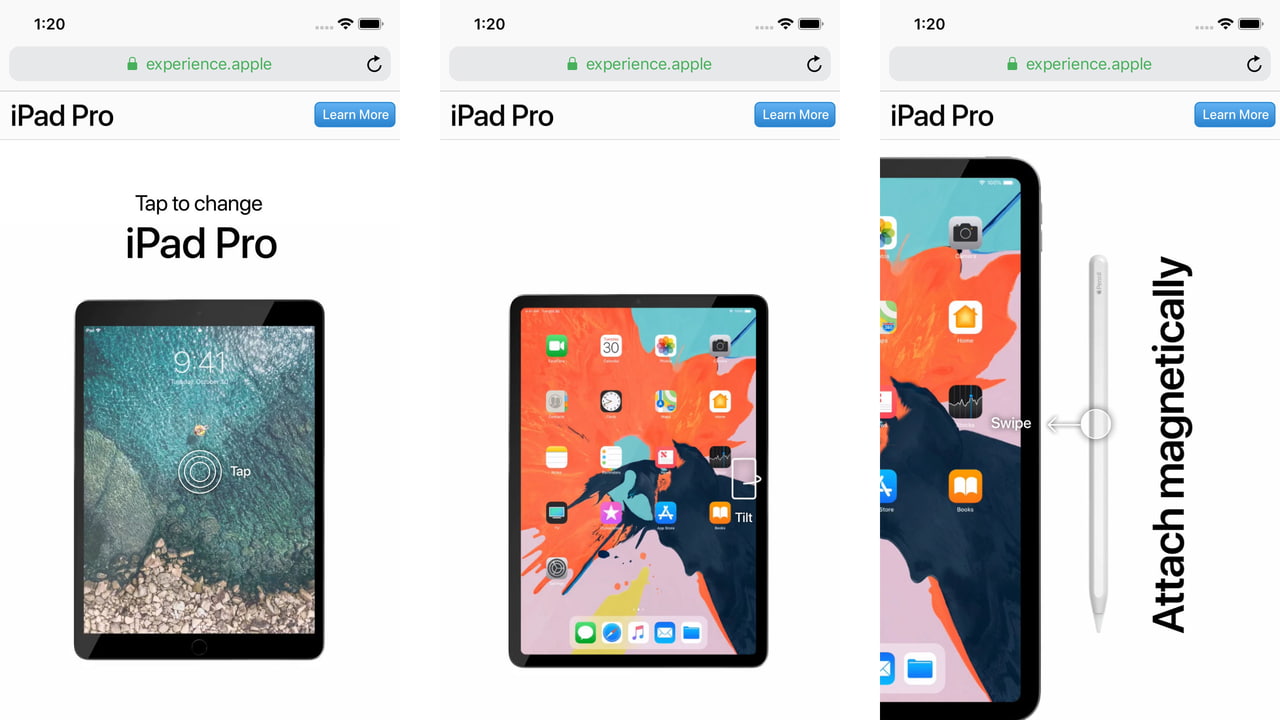

 Apple has launched an interactive microsite to highlight the features of its new iPad Pro. The company released a similar microsite back in September to showcase the new iPhone XS and iPhone XS Max.
The new site has four tabs: Screen size, Face ID, Thinner, and Apple Pencil. Starting at the Screen size tab you're prompted to tap and reveal the tablet's new design with a larger display and no Home button.
You can then swipe up to simulate using Face ID, rotate your device to check out the iPad Pro's thin design, and swipe left to attach an Apple Pencil to the side of the iPad.

Share Article:
Facebook, Twitter, LinkedIn, Google Plus, Email, Reddit, Digg, Delicious, StumbleUpon
Follow iClarified:
Facebook, Twitter, LinkedIn, Google Plus, Newsletter, App Store, YouTube

Post a Comment